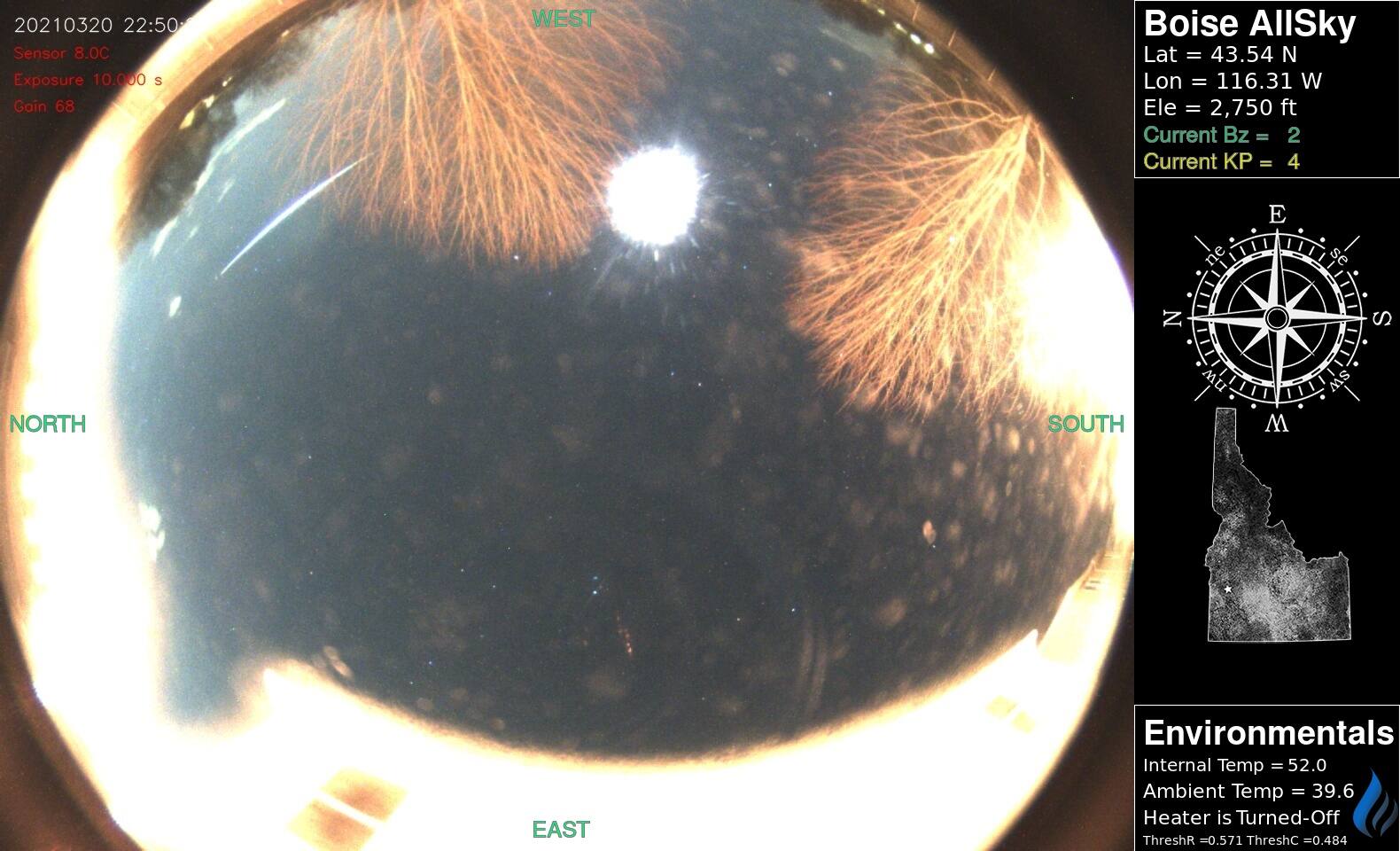
I’ve been using Thomas Jacquin’s AllSky software for a few years now, and a few revisions. Currently they’re on v8.3, and its working quite well – I’ve played with & tested it out on a Raspberry Pi 3b+, Pi 4 (8gb), and a Pi Zero 2 W, as well as both Raspberry Pi HQ Cameras & various ZWO ASI Cameras too. They’ve all worked well together and given some good results.
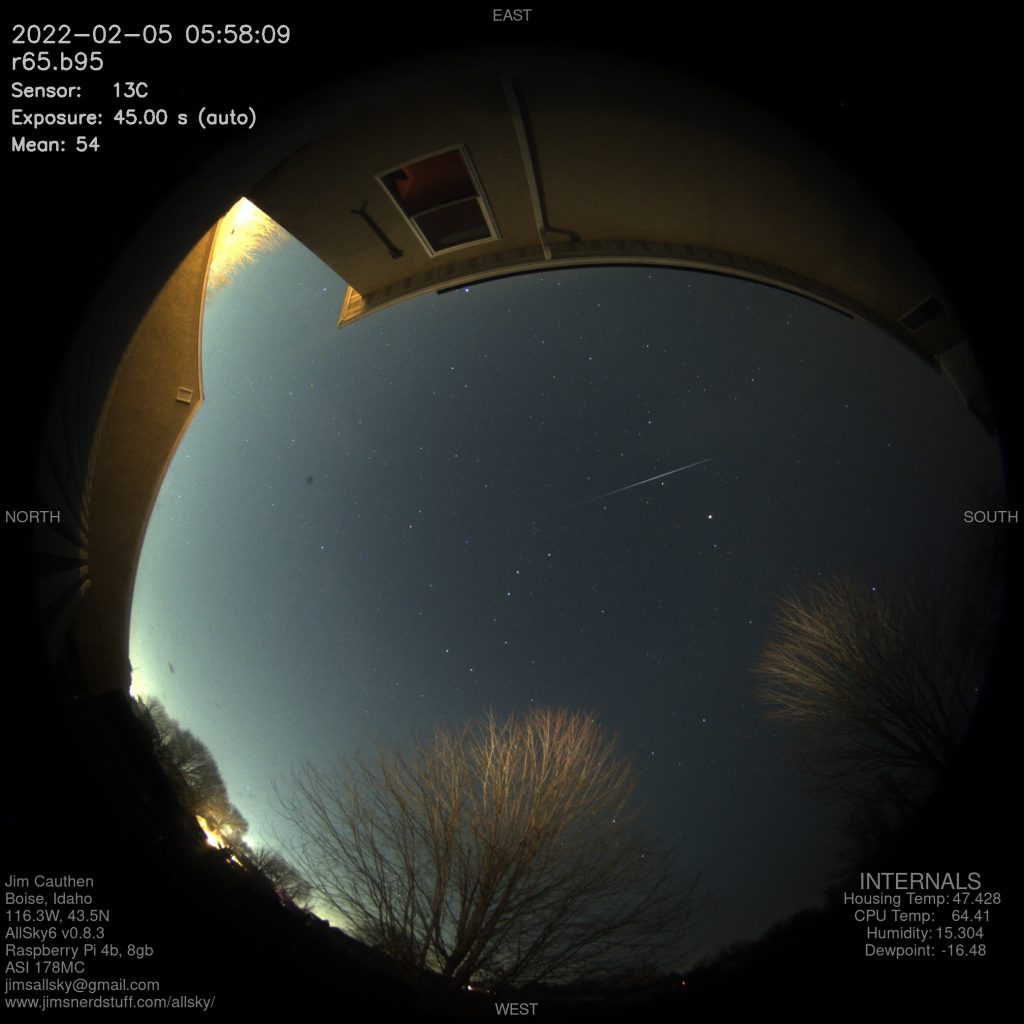
Over the years I’ve tried various methods of data-logging on the same systems, collecting local weather data, conditions inside the AllSky boxes, and even attempted recording local magnetic conditions (with varying limited success). With the logging comes the urge to USE that data – so I decided to start playing around with different ways to add some of it to my AllSky images.
I use an AdaFruit BME280 temperature, humidity & pressure sensor through Python to log the data to a CSV for later use, as well as to individual TXT files for the next steps to use. The flavor of sensor you use doesn’t matter, use what you’ve got and give it a shot, even if it’s just logging a single value. Even if you don’t have a secondary sensor, you can pull the CPU Temperature straight off the Pi itself and use that.
The following should be usable in quite a few of the previous versions, started playing with it around early v0.7. Full disclaimer, I am NOT a coder, there are probably a fair amount of things I can streamline in this process, or different tools I can use. For now though, these work for me, and should give you a starting point to start playing.
First – I add the following to the top of the /home/pi/allsky/config/config.sh file. This lets me turn the next steps on & off easily just incase what i do bricks the next script. Like the other values in the config.sh file, it can be set to ‘true‘, to turn the mod on, or ‘false‘ to turn it off and revert back to the original. I put this as the first option in the file so it’s easier to find & modify when I break the next steps 😝
# Jim's Overlay Fn
JIMS_OVERLAY="true"  # can be named whatever you want.
Second – I dig into the /home/pi/allsky/scripts/saveImage.sh file. I’m not 100% sure if the location/order is necessary, but in my mind, it needs to live after the ‘CROP_IMAGE’ step, mine starts on line 105. It looks a little crazy at first, but it’s not that bad 😜🤓. I’ll try and explain a bit of it after the code snip.
# Run Jim's Overlay Python
if [ "${JIMS_OVERLAY}" = "true" ] ; then
	[ "${ALLSKY_DEBUG_LEVEL}" -ge 4 ] && echo "${ME}: Running JIMS OVERLAY"
	cput="/home/pi/jscripts/logs/cpuTemp_file.txt"
	hTemp="/home/pi/jscripts/logs/housingTemp_file.txt"
	intHum="/home/pi/jscripts/logs/intHum_file.txt"
	intDP="/home/pi/jscripts/logs/intDP_file.txt"
	#
	cputF=$(cat "$cput")
	hTempF=$(cat "$hTemp")
	intHumF=$(cat "$intHum")
	intDPF=$(cat "$intDP")
	convert $IMAGE_TO_USE -pointsize 32 -fill gray50 -gravity north -annotate +10+10 'EAST  ' -gravity east -annotate +10+10 'SOUTH' \
		-gravity south -annotate +10+10 'WEST' -gravity west -annotate +10+10 'NORTH' -gravity west -annotate +10+750 'Jim Cauthen' \
		-annotate +10+785 'Boise, Idaho' -annotate +10+820 '116.3W, 43.5N' -annotate +10+855 'AllSky6 v0.8.3' \
		-annotate +10+890 'Raspberry Pi 4b, 8gb' -annotate +10+925 'ASI 178MC' -annotate +10+960 'jimsallsky@gmail.com' \
		-annotate +10+995 'www.jimsnerdstuff.com/allsky/' -gravity east -annotate +150+785 'Housing Temp:' -annotate +45+785 $hTempF  \
		-annotate +180+820 'CPU Temp:' -annotate +65+820 $cputF -annotate +185+855 'Humidity:' -annotate +80+855 $intHumF \
		-annotate +180+890 'Dewpoint:' -annotate +75+890 $intDPF -pointsize 45 -annotate +85+750 'INTERNALS' $IMAGE_TO_USE

	if [ $? -ne 0 ] ; then
		echo -e "${RED}*** ${ME}: ERROR: JIMS_OVERLAY failed; not saving{$NC}"
		exit 4
	fi
fi- Lines 4-7 are the text file locations – they can live wherever you save them on your system.
- 9-12 read the text files and store their data in memory. I’m sure I can probably combine this and 4-7, just need to get off my ass and do it.
- 13-19 is the main overlay. This uses ImageMagick’s
converttool (it can do a some pretty awesome stuff) to put the data onto the image. I’d suggest doing a SINGLE piece fist to make sure it works, and figure out how it works – from there, add in the next few.convert $IMAGE_TO_USE-pointsizeis just the size of the font – you’ll need to play with this to find what works for your image.-fill-gravity-annotate-annotate- lastly, the final
$IMAGE_TO_USEsaveImage.sh, leaving you with no saved images.
- 21-25 closes out the overlay function, as well as gives a debugging call that will show up in the
tail -f /var/log/allsky.logso you can see it has run, as well as if it failed. - Finally – TEST TEST TEST TEST! make sure it works and is happy.
- Note: each of these overlay items can be called out in their own convert line, but each new convert line adds more time onto the script run-time, so I’ve combined all of mine into a single (crazy long) line. My code has a ‘
\‘ at the end of most the lines – this is a little code formatting tool that splits the single LONG LINE into easier to read rows while maintaining the flow. It must be outside of the quotes to work. - Remember, if the script breaks and isn’t saving your images any more, change the call-out in your
config.shfile to ‘false’ so it skips over your modified code section
Feel free to ask any questions – if I have the answer, I’ll let ya know. If not, years of trial and error have shown me that Google is a great tool 🤓. Hopefully this helps someone out. Also, the AllSky Wiki has some info on this as well, it may be easier for some to read/understand – go give it a look: https://github.com/thomasjacquin/allsky/wiki/Overlays-Explained